 YACReader
- Posts: 15
- Thank you received: 0
Help and support for iPad, iPhone and iPod touch users.
Import from itunes question and two suggestions
- lmikey
- Topic Author
- Offline
- New Member
-

Less
More
11 years 2 months ago #1655
by lmikey
Import from itunes question and two suggestions was created by lmikey
Have we lost the ability in the new version to see how many comics are being imported? It look like now there is just the percentage counter in the upper right hand corner. And can you tell if any comics are waiting to be imported?
Can you add battery life to the reading panel overlay? Right now, you have to close the comic to check the remaining battery.
Can you provide an option to have the comic open up to the full margin position? Right now, I have to set it each time I open a comic.
It's my favorite app! Thanks for all the great work!
Can you add battery life to the reading panel overlay? Right now, you have to close the comic to check the remaining battery.
Can you provide an option to have the comic open up to the full margin position? Right now, I have to set it each time I open a comic.
It's my favorite app! Thanks for all the great work!
Please Log in or Create an account to join the conversation.
- Luis Ángel
-

- Offline
- Administrator
-

Less
More
- Posts: 3354
- Thank you received: 692
11 years 2 months ago #1656
by Luis Ángel
Contribute to the project becoming a patron: www.patreon.com/yacreader
You can also donate via Pay-Pal: www.paypal.com/donate?business=5TAMNQCDD...e=Support+YACReader\
Replied by Luis Ángel on topic Import from itunes question and two suggestions
1. Just tap on the percentage counter
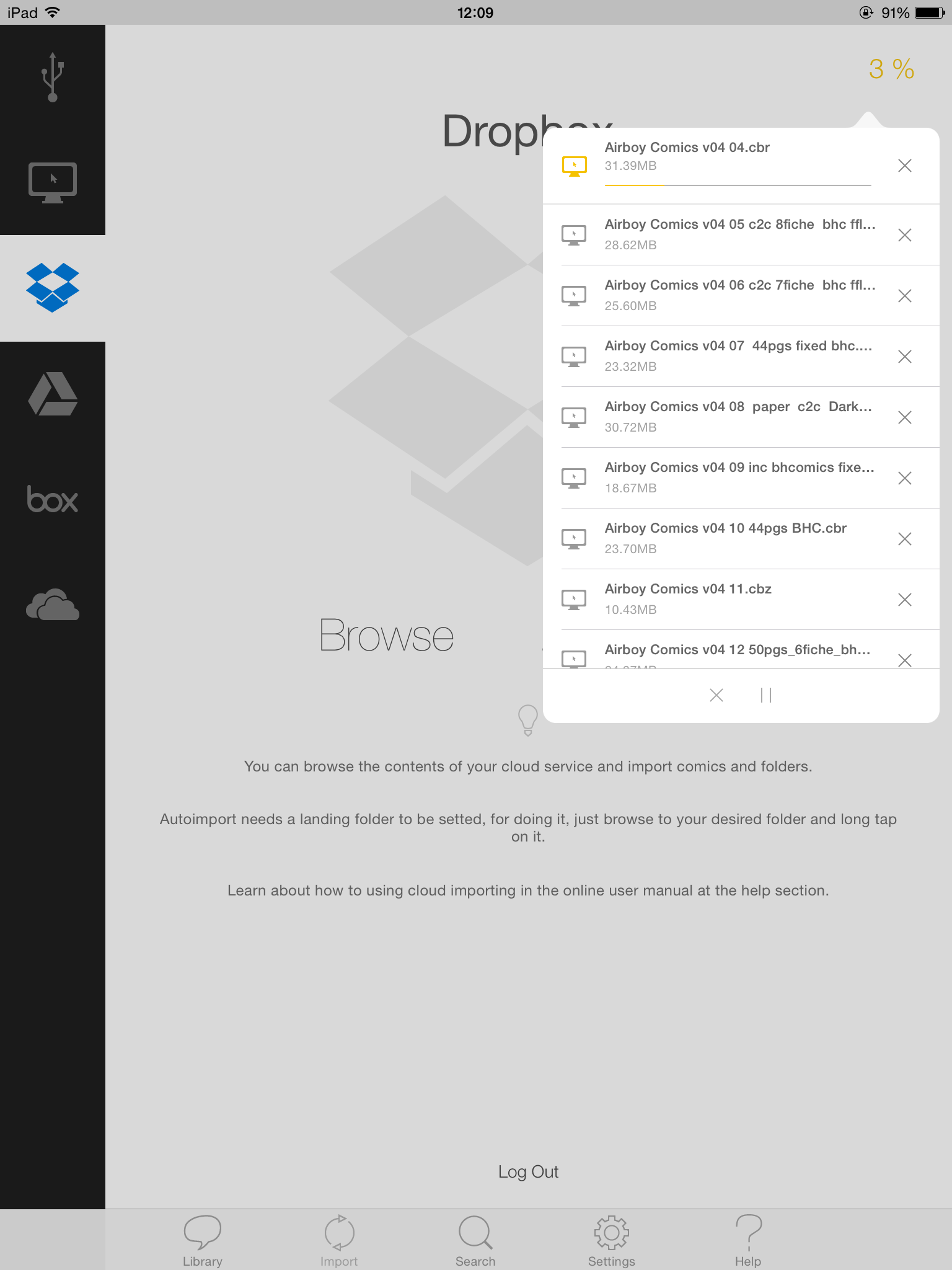
2. You don't need to close the comic, use the notification center (drop it down) and you will see the battery.
3. I will probably have to ask to the users about the next iteration in the reading UI, but yes, the fitting settings should be stored as user preferences.
Thank you for using YACReader!
2. You don't need to close the comic, use the notification center (drop it down) and you will see the battery.
3. I will probably have to ask to the users about the next iteration in the reading UI, but yes, the fitting settings should be stored as user preferences.
Thank you for using YACReader!
Contribute to the project becoming a patron: www.patreon.com/yacreader
You can also donate via Pay-Pal: www.paypal.com/donate?business=5TAMNQCDD...e=Support+YACReader\
Please Log in or Create an account to join the conversation.
- lmikey
- Topic Author
- Offline
- New Member
-
Less
More
- Posts: 15
- Thank you received: 0
11 years 2 months ago #1663
by lmikey
Replied by lmikey on topic Import from itunes question and two suggestions
thanks!
Please Log in or Create an account to join the conversation.
Moderators: Luis Ángel