 YACReader
- Posts: 20
- Thank you received: 3
Help and support for Linux users.
Missing content
- LainX84
- Topic Author
- Offline
- Junior Member
-

Less
More
2 months 1 week ago #10224
by LainX84
Missing content was created by LainX84
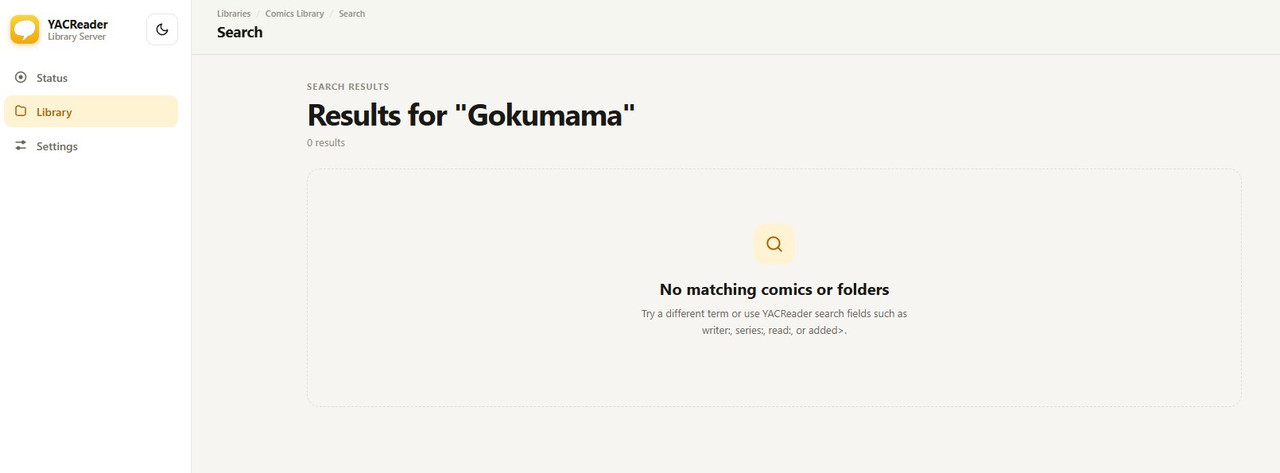
I'm having a problem with YACReaderLibrary Server, which is updated to the latest version 10.3.0, and version 2.2 as the server. There are some manga in CBZ format that aren’t showing up even though they’re in the correct folder.
I’ve tried scanning the entire library several times, checked the paths, and verified that the container can see the files, yet I still can’t view them on iOS/iPadOS or via the web browser using the new web interface.
To create CBZ files, I always use WinZip, then I rename the file extension and organize the contents into chapters (which is what I've always done).
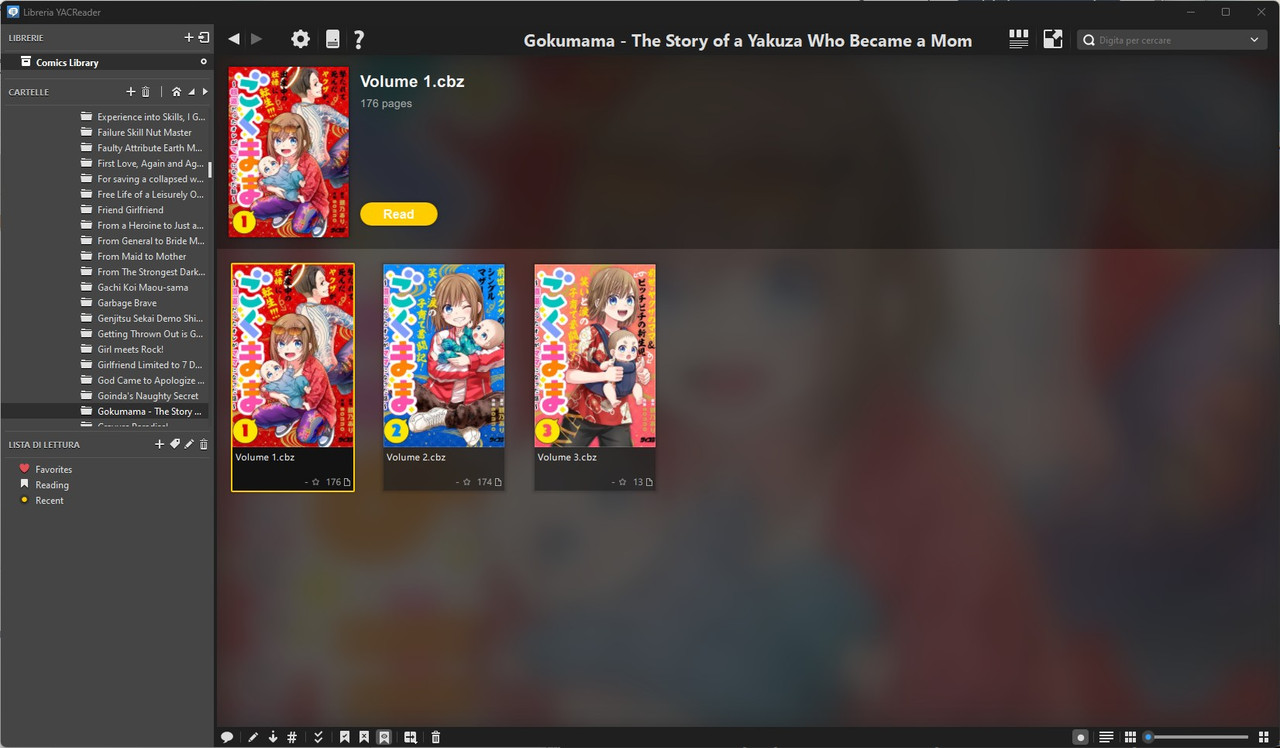
Using the YacReader Library on Windows, I can view the file and manage it without any problems.
Any ideas?
Thanks for your support!
Code:
root@d79ba4eda5b3:/comics/Manga/Inglese/Non ufficiale/In Progress/Gokumama - The Story of a Yakuza Who Became a Mom# ls -lah
total 130M
drwxrwxrwx 2 abc uucp 4.0K Aug 8 17:20 .
drwxrwxrwx 713 abc uucp 72K Aug 13 09:17 ..
-rwxrwxrwx 1 abc uucp 65M Aug 14 17:58 'Volume 1.cbz'
-rwxrwxrwx 1 abc uucp 56M Aug 14 17:58 'Volume 2.cbz'
-rwxrwxrwx 1 abc uucp 11M Aug 14 17:58 'Volume 3.cbz'
I’ve tried scanning the entire library several times, checked the paths, and verified that the container can see the files, yet I still can’t view them on iOS/iPadOS or via the web browser using the new web interface.
To create CBZ files, I always use WinZip, then I rename the file extension and organize the contents into chapters (which is what I've always done).
Using the YacReader Library on Windows, I can view the file and manage it without any problems.
Any ideas?
Thanks for your support!
Please Log in or Create an account to join the conversation.
- Luis Ángel
-

- Offline
- Administrator
-

Less
More
- Posts: 3360
- Thank you received: 695
2 months 1 week ago #10225
by Luis Ángel
Contribute to the project becoming a patron: www.patreon.com/yacreader
You can also donate via Pay-Pal: www.paypal.com/donate?business=5TAMNQCDD...e=Support+YACReader\
Replied by Luis Ángel on topic Missing content
What happens if you browse to that folder in the webui? 10.3 is WIP by the way…
Contribute to the project becoming a patron: www.patreon.com/yacreader
You can also donate via Pay-Pal: www.paypal.com/donate?business=5TAMNQCDD...e=Support+YACReader\
Please Log in or Create an account to join the conversation.
- LainX84
- Topic Author
- Offline
- Junior Member
-
Less
More
- Posts: 20
- Thank you received: 3
2 months 1 week ago #10226
by LainX84
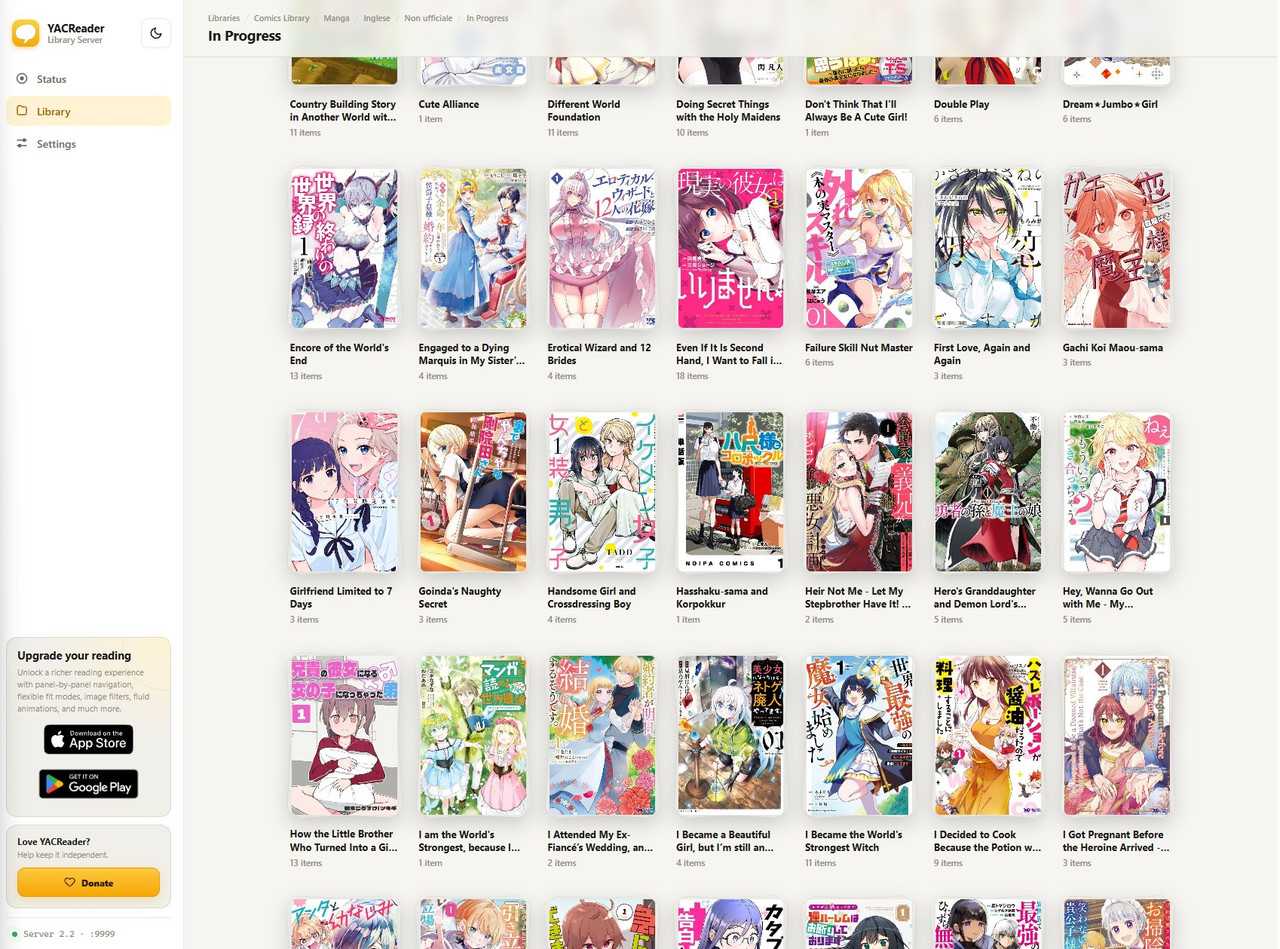
As you can see from WebUI it not appear (order per name).
Replied by LainX84 on topic Missing content
As you can see from WebUI it not appear (order per name).
Please Log in or Create an account to join the conversation.
- Luis Ángel
-
- Offline
- Administrator
-
Less
More
- Posts: 3360
- Thank you received: 695
2 months 1 week ago #10227
by Luis Ángel
Contribute to the project becoming a patron: www.patreon.com/yacreader
You can also donate via Pay-Pal: www.paypal.com/donate?business=5TAMNQCDD...e=Support+YACReader\
Replied by Luis Ángel on topic Missing content
Could it be the browser caching responses?
Contribute to the project becoming a patron: www.patreon.com/yacreader
You can also donate via Pay-Pal: www.paypal.com/donate?business=5TAMNQCDD...e=Support+YACReader\
Please Log in or Create an account to join the conversation.
- LainX84
- Topic Author
- Offline
- Junior Member
-
Less
More
- Posts: 20
- Thank you received: 3
2 months 1 week ago #10228
by LainX84
Replied by LainX84 on topic Missing content
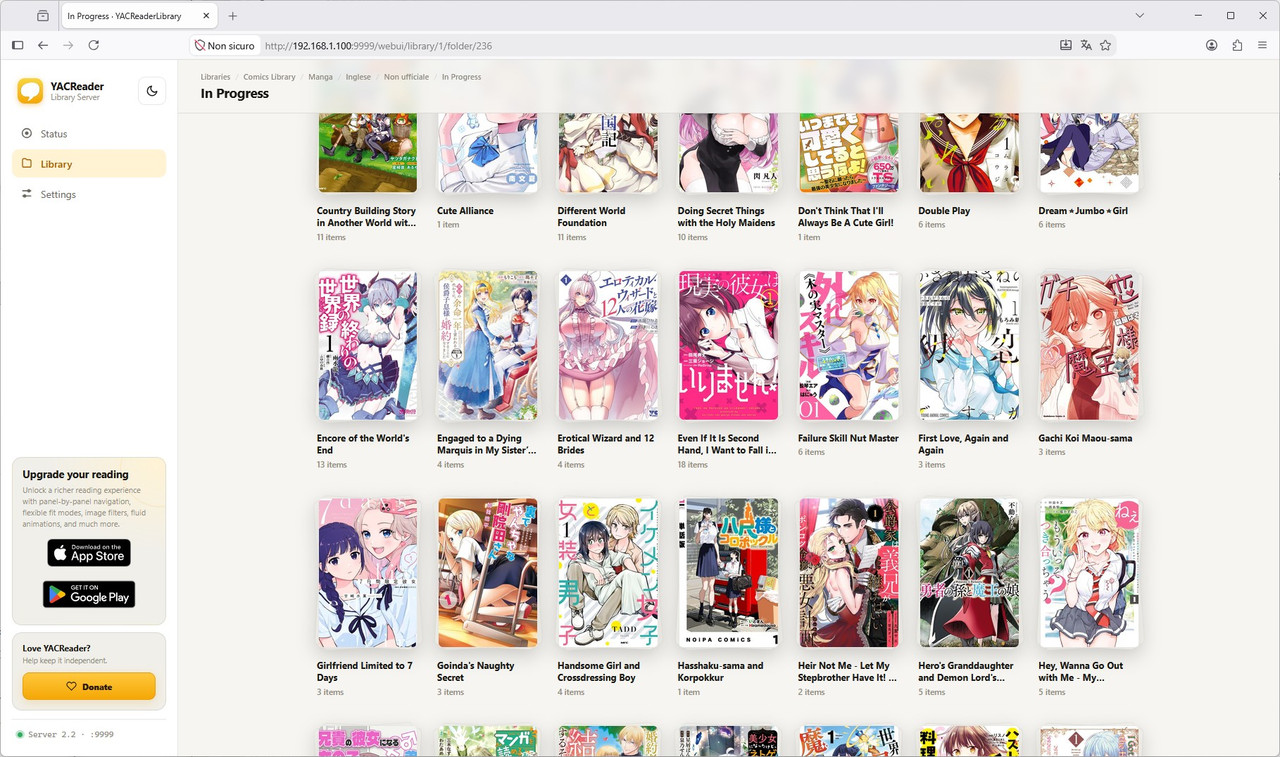
Try with fresh install firefox, same result
Code:
matteo@docker-server:/share/ugreen/yacreaderlibraryserver/comics/Manga/Inglese/Non ufficiale/In Progress/Gokumama - The Story of a Yakuza Who Became a Mom$ ls -lah
total 130M
drwxrwxrwx 2 matteo uucp 4.0K Aug 8 17:20 .
drwxrwxrwx 713 matteo uucp 72K Aug 13 09:17 ..
-rwxrwxrwx 1 matteo uucp 65M Aug 14 17:58 'Volume 1.cbz'
-rwxrwxrwx 1 matteo uucp 56M Aug 14 17:58 'Volume 2.cbz'
-rwxrwxrwx 1 matteo uucp 11M Aug 14 17:58 'Volume 3.cbz'
matteo@docker-server:/share/ugreen/yacreaderlibraryserver/comics/Manga/Inglese/Non ufficiale/In Progress/Gokumama - The Story of a Yakuza Who Became a Mom$ stat Volume\ 1.cbz
File: Volume 1.cbz
Size: 67406992 Blocks: 131656 IO Block: 1048576 regular file
Device: 0,45 Inode: 259063812 Links: 1
Access: (0777/-rwxrwxrwx) Uid: ( 1000/ matteo) Gid: ( 10/ uucp)
Access: 2026-08-08 17:20:31.328407683 +0200
Modify: 2026-08-14 17:58:46.328674500 +0200
Change: 2026-08-14 17:59:05.915091043 +0200
Birth: -
matteo@docker-server:/share/ugreen/yacreaderlibraryserver/comics/Manga/Inglese/Non ufficiale/In Progress/Gokumama - The Story of a Yakuza Who Became a Mom$ file Volume\ 1.cbz
Volume 1.cbz: Zip archive data, at least v2.0 to extract, compression method=store
Please Log in or Create an account to join the conversation.
- Luis Ángel
-
- Offline
- Administrator
-
Less
More
- Posts: 3360
- Thank you received: 695
2 months 1 week ago - 2 months 1 week ago #10229
by Luis Ángel
Contribute to the project becoming a patron: www.patreon.com/yacreader
You can also donate via Pay-Pal: www.paypal.com/donate?business=5TAMNQCDD...e=Support+YACReader\
Replied by Luis Ángel on topic Missing content
Where is the server running? Are you 100% sure that YACReaderLibrary and YACReaderLibraryServer are using the same database?
In YACReaderLibrary go to the server dialog and click open webui, can you find that folder there?
In YACReaderLibrary go to the server dialog and click open webui, can you find that folder there?
Contribute to the project becoming a patron: www.patreon.com/yacreader
You can also donate via Pay-Pal: www.paypal.com/donate?business=5TAMNQCDD...e=Support+YACReader\
Last edit: 2 months 1 week ago by Luis Ángel.
Please Log in or Create an account to join the conversation.
- LainX84
- Topic Author
- Offline
- Junior Member
-
Less
More
- Posts: 20
- Thank you received: 3
2 months 1 week ago #10230
by LainX84
Replied by LainX84 on topic Missing content
No, they are two different databases, but they point to the same folders.
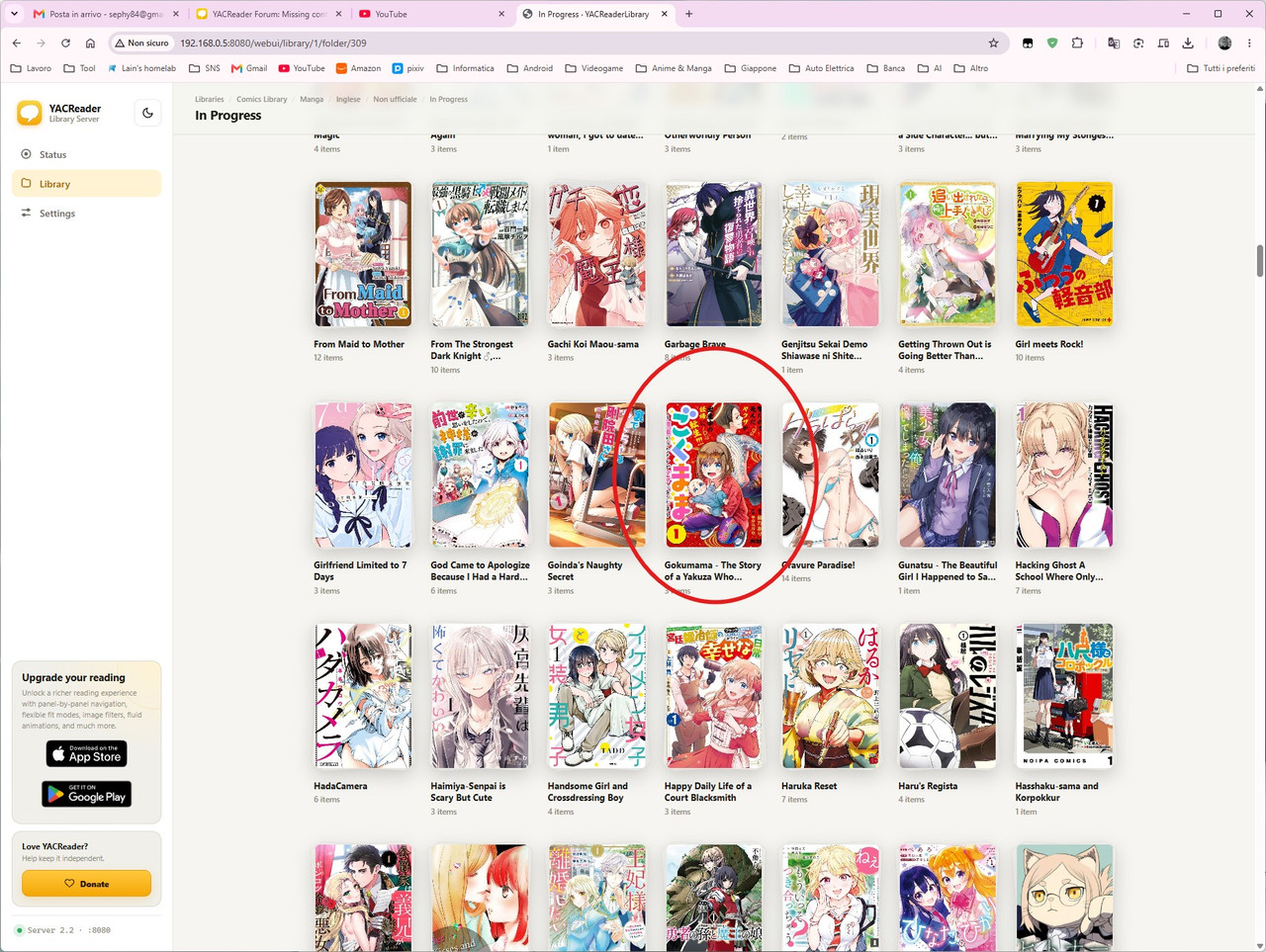
When using the web version of the YacReader Library on Windows—just like with the installed application—it correctly displays the missing manga, whereas YacReader Server installed in a container cannot find that manga.
When using the web version of the YacReader Library on Windows—just like with the installed application—it correctly displays the missing manga, whereas YacReader Server installed in a container cannot find that manga.
Please Log in or Create an account to join the conversation.
- Luis Ángel
-
- Offline
- Administrator
-
Less
More
- Posts: 3360
- Thank you received: 695
2 months 1 week ago #10231
by Luis Ángel
Contribute to the project becoming a patron: www.patreon.com/yacreader
You can also donate via Pay-Pal: www.paypal.com/donate?business=5TAMNQCDD...e=Support+YACReader\
Replied by Luis Ángel on topic Missing content
The problem is that you have a stale database, it could the server having problems to write to it. Ideally you should only have a single .yacreaderlibrary with the db a covers inside it and placed in the root folder of the library.
Contribute to the project becoming a patron: www.patreon.com/yacreader
You can also donate via Pay-Pal: www.paypal.com/donate?business=5TAMNQCDD...e=Support+YACReader\
Please Log in or Create an account to join the conversation.
- LainX84
- Topic Author
- Offline
- Junior Member
-
Less
More
- Posts: 20
- Thank you received: 3
2 months 1 week ago #10232
by LainX84
Replied by LainX84 on topic Missing content
YACLibrary running in the container has its own database, which is automatically updated roughly every 4 hours.
The YACLibrary instance running on my PC has a separate database, which I update manually when needed.
Below is a screenshot showing how the container volumes are configured.
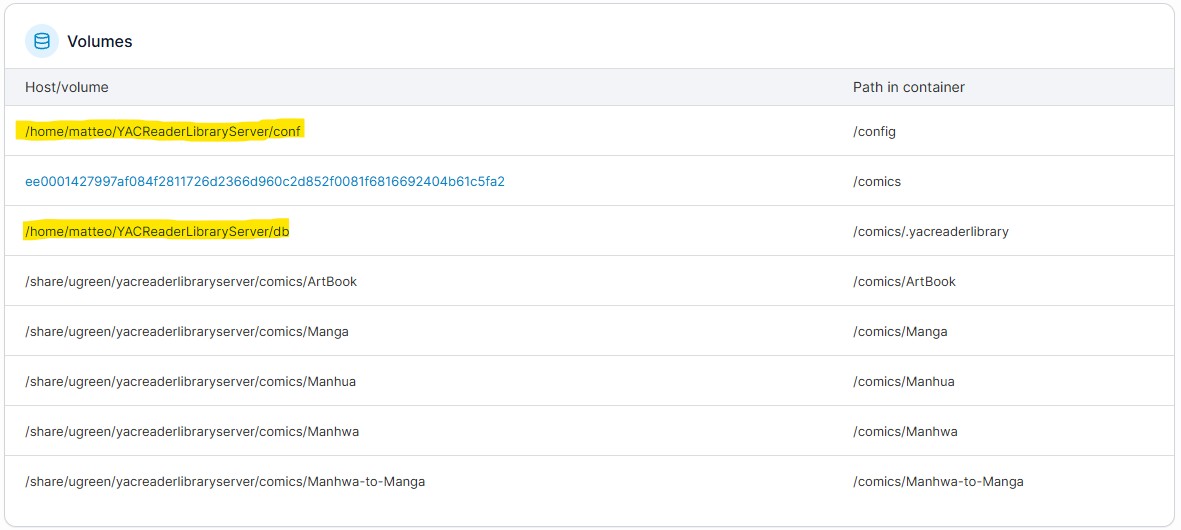
The YACLibrary instance running on my PC has a separate database, which I update manually when needed.
Below is a screenshot showing how the container volumes are configured.
Please Log in or Create an account to join the conversation.
- LainX84
- Topic Author
- Offline
- Junior Member
-
Less
More
- Posts: 20
- Thank you received: 3
1 week 3 days ago #10326
by LainX84
Replied by LainX84 on topic Missing content
Environment
Many series were missing from the mobile app and from the web view, even though the files were on disk and readable by the container user. One folder ( /Manga/Inglese/Non ufficiale/In Progress ) had 722 subfolders on disk, but only 181 of them were in library.ydb
The missing series were not in the database at all, not even under a different path. The library update finished normally every time, and the log showed no errors or warnings about the skipped entries.
Root cause (verified)
One subfolder had a name that was not valid UTF-8:
The byte 0x92
is the Windows-1252 right single quotation mark (’), probably left by a Windows client or tool.
I listed the folder in raw directory order ( ls -f , i.e. the order readdir() returns, not alphabetical) and compared it with the database:
When I removed the folder with the invalid name and ran an update again, all 720 non-empty subfolders were indexed. A full comparison afterwards showed that all 161,299 comic files on disk are now in the database.
My guess about the mechanism (not verified in the code)
Qt probably decodes the file name as UTF-8 and replaces the invalid byte with U+FFFD. The resulting path no longer matches the real one on disk, so an operation on that entry fails. The failure seems to end the loop over the folder’s entries instead of skipping just that one entry.
Why this is hard to notice
Thanks for YACReader!
- YACReaderLibraryServer, Docker image
(DB version 9.16.0)Code:yacreader/yacreaderlibraryserver:latest
- Container locale:
/Code:LANG=Code:LC_ALLCode:en_US.UTF-8
- Comics on a Ugreen NAS, mounted on the Docker host over NFSv3 and bind-mounted into the container
- Periodic library update enabled (every 3 hours)
Many series were missing from the mobile app and from the web view, even though the files were on disk and readable by the container user. One folder ( /Manga/Inglese/Non ufficiale/In Progress ) had 722 subfolders on disk, but only 181 of them were in library.ydb
The missing series were not in the database at all, not even under a different path. The library update finished normally every time, and the log showed no errors or warnings about the skipped entries.
Root cause (verified)
One subfolder had a name that was not valid UTF-8:
Code:
A NEET\x92s Guide to the Parallel World
I listed the folder in raw directory order ( ls -f , i.e. the order readdir() returns, not alphabetical) and compared it with the database:
- every entry before the invalid name was indexed (except one empty folder, which is expected);
- every entry after it, 540 subfolders, was missing.
When I removed the folder with the invalid name and ran an update again, all 720 non-empty subfolders were indexed. A full comparison afterwards showed that all 161,299 comic files on disk are now in the database.
My guess about the mechanism (not verified in the code)
Qt probably decodes the file name as UTF-8 and replaces the invalid byte with U+FFFD. The resulting path no longer matches the real one on disk, so an operation on that entry fails. The failure seems to end the loop over the folder’s entries instead of skipping just that one entry.
Why this is hard to notice
- Nothing in the log points to the problem.
- Which entries go missing depends on where the bad name falls in
order. On NFS/ext4/btrfs this order is hash-based, so the missing series look random when you browse alphabetically.Code:readdir()
- New series added later may or may not appear, depending on where they land in that order.
- If one directory entry fails, log it and continue with the remaining entries rather than stopping the whole folder.
- Write a clear warning to the log for file and folder names that are not valid in the current encoding, including the raw path bytes, e.g.
Code:Skipping entry with invalid UTF-8 name: …/A NEET\x92s Guide…
- Ideally, show these problems to the user: a list of skipped entries at the end of an update in YACReaderLibrary, or a status page / log endpoint in the server.
Code:
mkdir -p /comics/Test
cd /comics/Test
python3 -c "import os; os.mkdir(b'A Bad\x92Name')"
# then add several subfolders, each containing a valid .cbz, and run a library update;
# check which subfolders reach the DB compared to the `ls -f` order
The following user(s) said Thank You: Luis Ángel
Please Log in or Create an account to join the conversation.
Moderators: Luis Ángel